 Cookie preferences

PSENYA
A PrestaShop AI assistant inside the back office.
PSENYA works in your PrestaShop back office, on the real shop, not on what you tell it. It reads orders, catalog, modules, logs, code and the database. If it can prove the cause, it names it. It prepares the change, one record at a time or in bulk, waits for your yes before it writes, and checks the result. Next to PSENYA, Ask AI is a chatbot. PSENYA is the best and only AI assistant that truly does the work of a senior PrestaShop engineer.
- PrestaShop 8
- Assistant in 6 languages
- 149 € a month, tax not included1,490 € a year, tax not included
What does this PrestaShop AI assistant do?
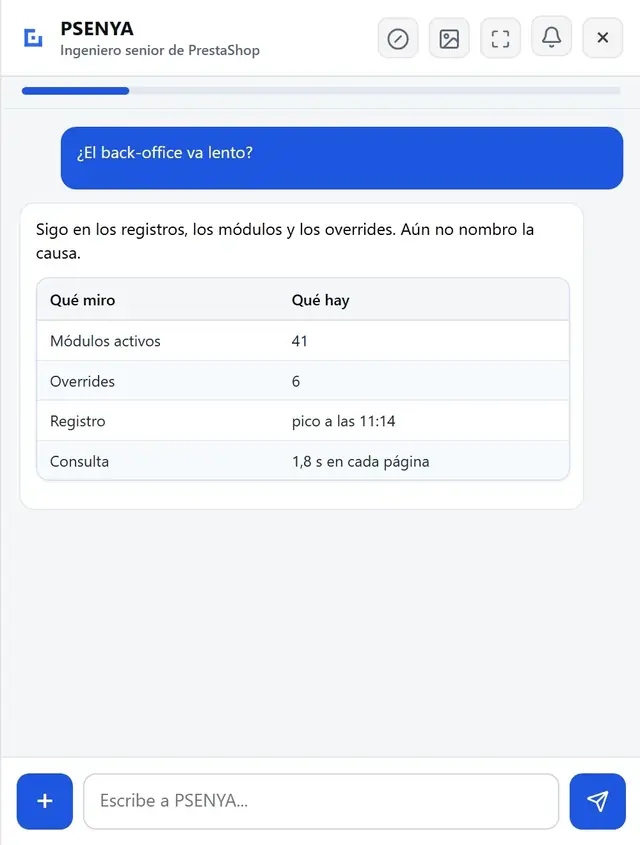
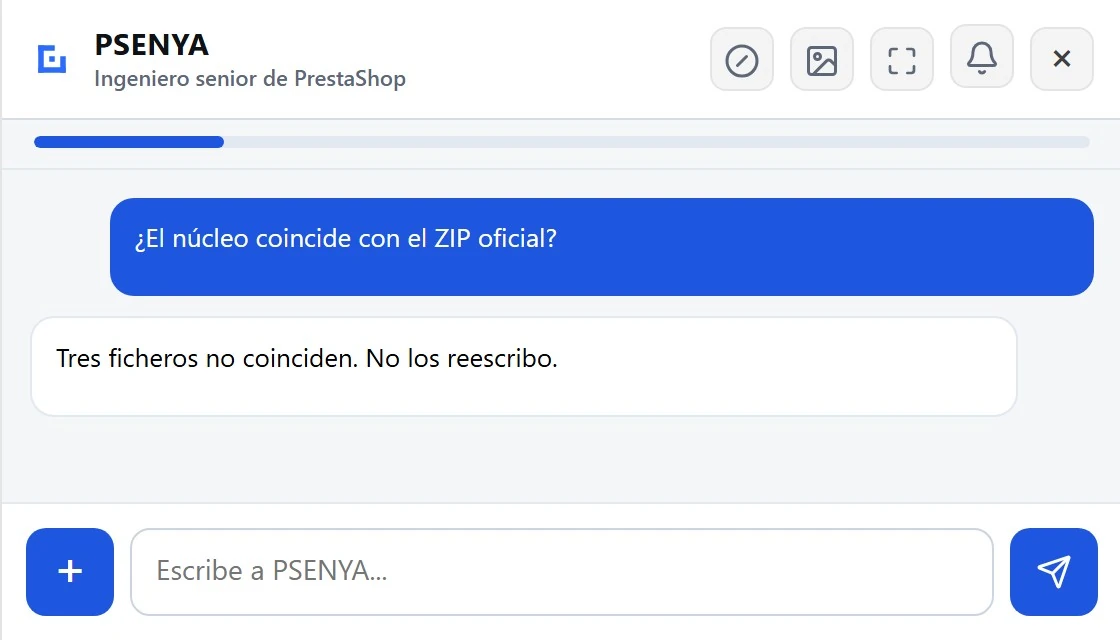
PSENYA works on the PrestaShop 8 core from the back office: orders, catalog, customers, payments, modules, pages, SEO and configuration. It reads the database, logs, files, overrides, .htaccess and code; compares the core with the official ZIP; and names only the cause it can prove. If the failure is in the code, it reproduces the state that already exists and walks that path until the step that does not match. It prepares changes one by one or in bulk, shows the scope before it writes, checks the shop afterwards, and can undo what it applied. From the chat you can also leave tasks on the rhythm you ask for: they stay on record, and you can look them up, change them or delete them. Watchdog checks whether the shop can sell and leaves a report. It also drafts product texts, metas or customer replies when you ask.
-
Orders
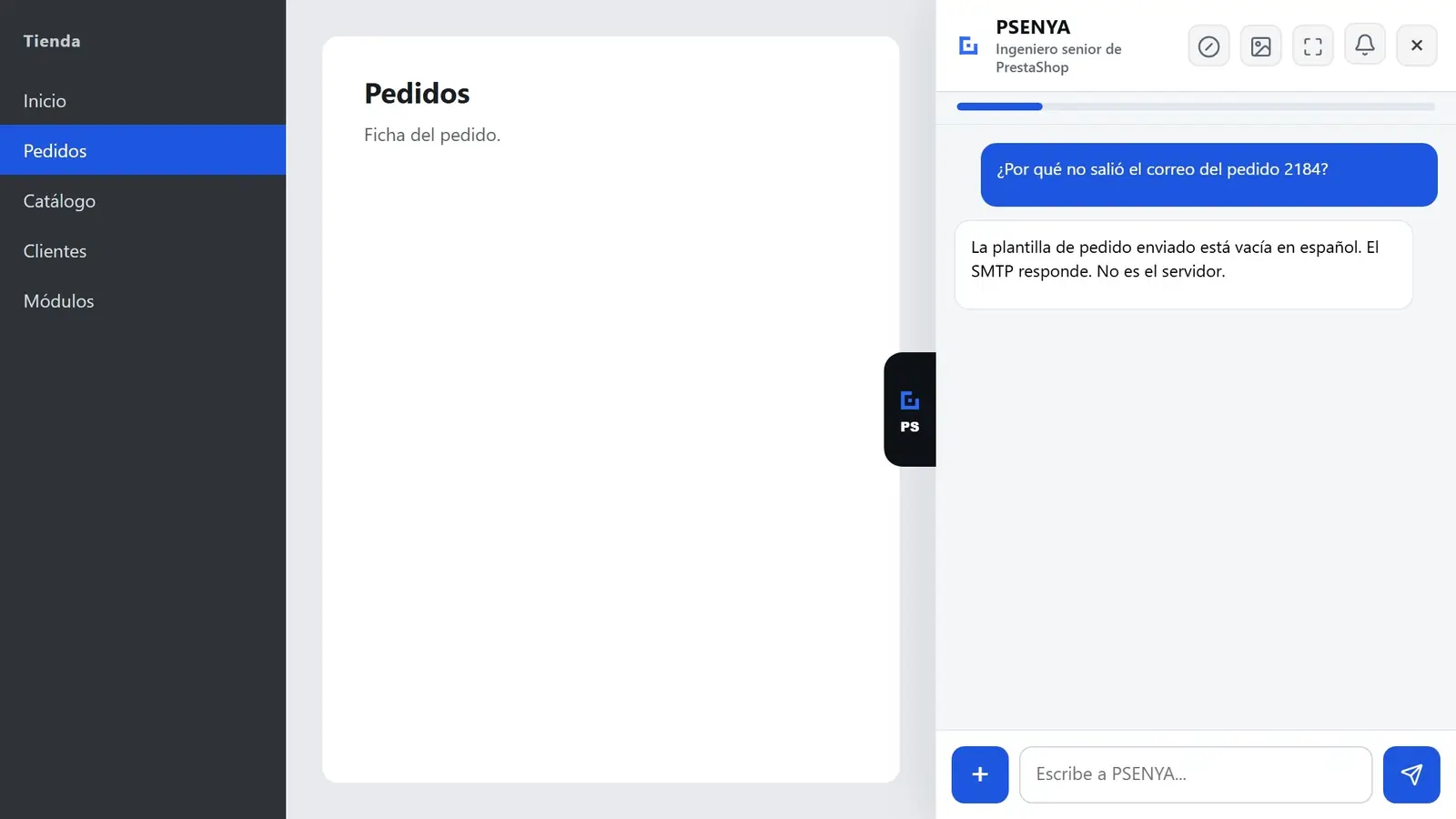
Statuses, payments, invoices, credit slips, returns and emails. If an order will not move, it crosses the order record with payment, carrier, template and log evidence.
-
Catalog and stock
Price, stock, combinations, images, categories, brands and suppliers, on the real record of this shop.
-
SEO and content
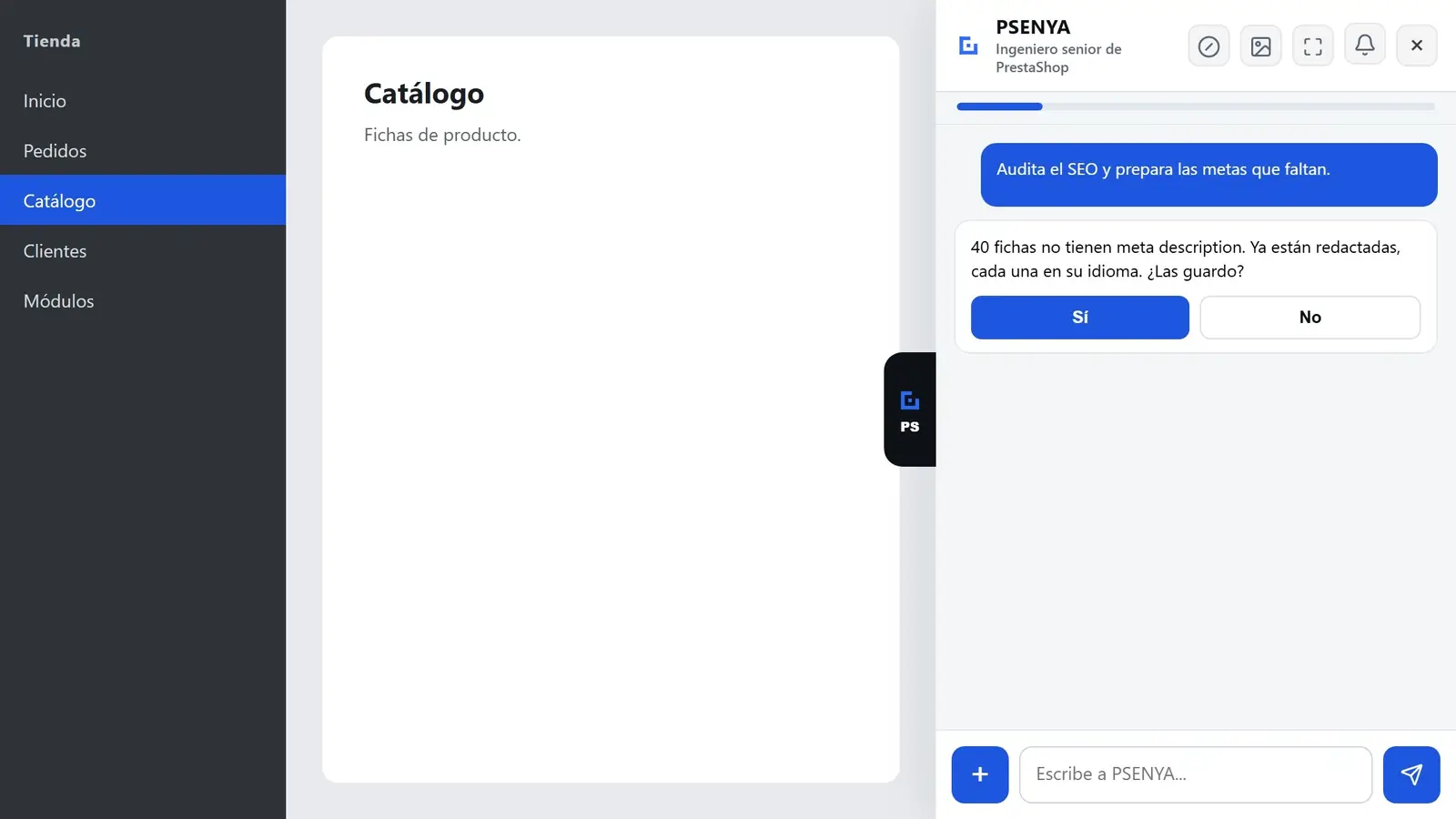
It finds products without metas, prepares text in batches, checks URLs and applies the pack when you confirm. If you ask for a product description, it writes it and waits.
-
Diagnosis and code
It follows the code of a failure inside the shop. It reproduces the state that already exists, walks that path, and stops at the step that does not match. It reads the file when it needs to. It does not rewrite a custom module and it does not enter the server.
-
Scheduled tasks
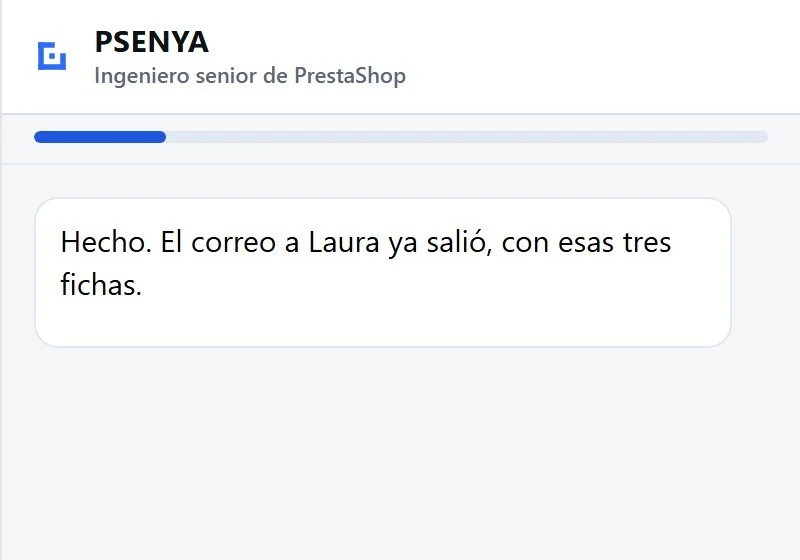
From the chat you leave a task on the rhythm you ask for. It stays on record: you can look it up, change it or delete it in the same chat. If that task writes to the shop, it still waits for your confirmation.
-
Bulk changes
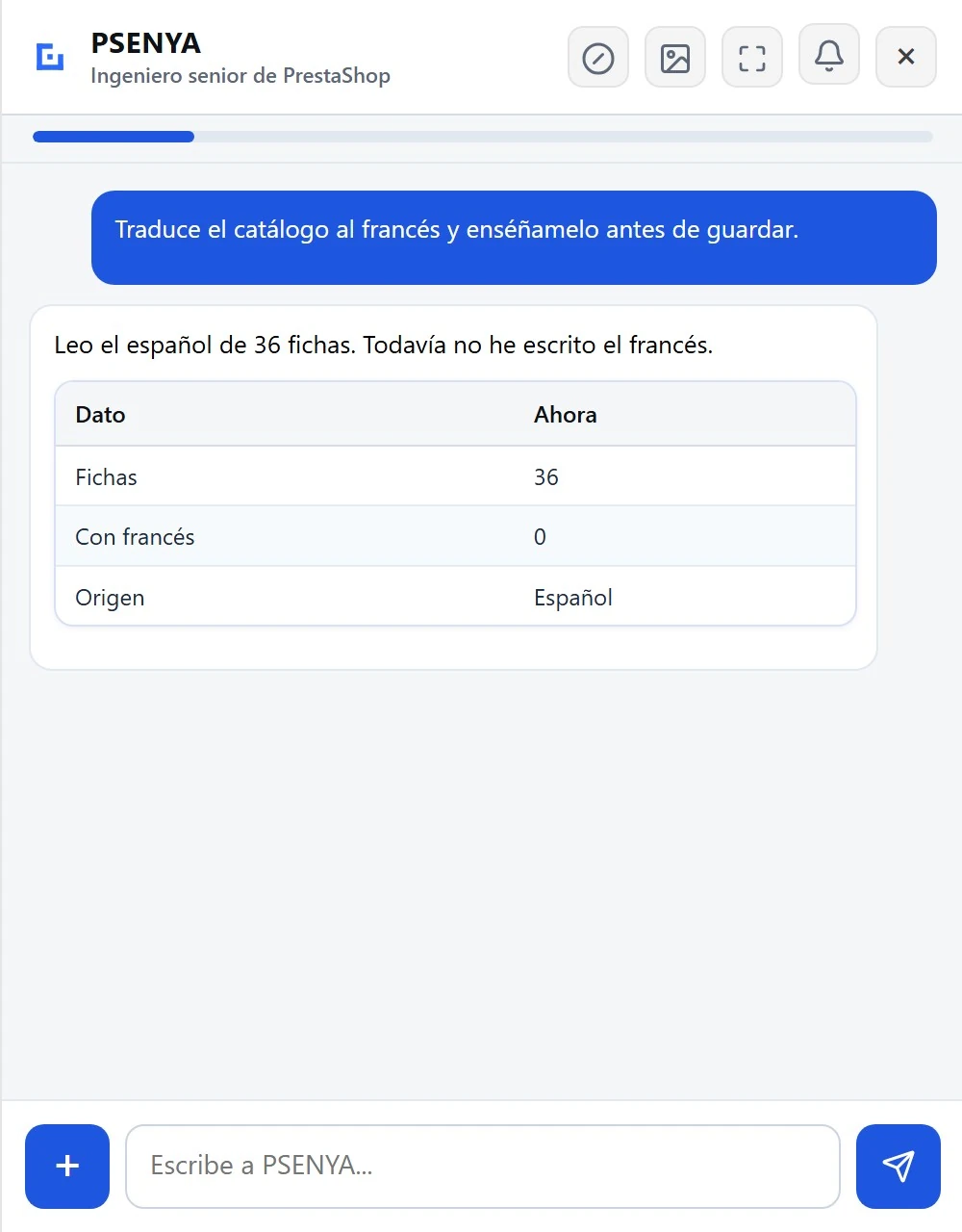
Price, stock, categories, statuses, vouchers, customers or translations, across many records. You see the scope, confirm once, and it reads the shop again afterwards.
-
Translation
English, Spanish, French, German, Italian and Portuguese. It translates products and pages in batches, and shows you the text before saving it.
-
Watchdog
Every so often it checks whether this shop can sell and leaves the report in the back office. If that gets worse, it warns you. It does not change the shop. If you want one notice looked into, you send it. The first time you enter the licence, PSENYA runs this check once so you can see the report. To keep checking every day, turn Watchdog on in its settings and add the shop's scheduled task.
-
The screen you are on
In the back office it reads the errors and the timings of that screen.
What happens to a change you already confirmed?
PSENYA keeps the previous state of what it writes. If you confirmed something you did not want, it can restore it, again with your confirmation. You do not upload a copy of the shop: it works inside your installation, and each shop stays separate from every other shop.
It undoes the change.
It keeps how things were. It restores them when you ask, and it asks you to confirm again.
You do not upload your database.
It works inside your back office. You never paste the shop anywhere.
It shows the change before it writes.
Reading does not need permission. Writing always does.
The work PSENYA removes from your week
You are not paying for a conversation. You are paying for it to read the shop, prepare the change and check it. It reads the shop, prepares the answer or the change, waits for confirmation when data will be written, and then checks the result.
| The work | Before | With PSENYA |
|---|---|---|
| Stuck order or email that did not leave | Open the order, status, carrier, logs, modules and configuration | PSENYA reads the shop and leaves you the cause, if it can prove it. If it cannot, it tells you how far it got |
| Catalog changes in bulk | Export, review, change by hand, and fear getting it wrong | PSENYA prepares the batch, shows what it will touch and waits for confirmation |
| SEO and product translations | Go product by product | PSENYA drafts or translates in batches and confirms before writing |
| A customer asking for an explanation | Look up the order, the history, the issues, and write | PSENYA looks at the order and proposes a reply from the back office |
| An agency reviewing a shop | Walk in blind and spend billable time on the diagnosis | PSENYA leaves the order, module, setting, file or log already read before anyone steps in |
What does PSENYA not do?
PSENYA does not build a custom module, does not migrate the shop, and does not plan your upgrades. It does not write without showing you the change first. It is not official PrestaShop support and it is not sold on PrestaShop Addons. It is also not a chat the customer opens alone on the storefront: if a customer needs an answer, you ask for it from the back office.
- Not a chat hung on the storefront.
- Not a module whose only job is generating text. If you ask for a product description, it writes it and waits for your confirmation.
- Not a replacement for the person who builds a custom module.
- Not official PrestaShop support.
- Not available on PrestaShop Addons — only here.
- It does not migrate the shop.
It does the work. Then it checks it.
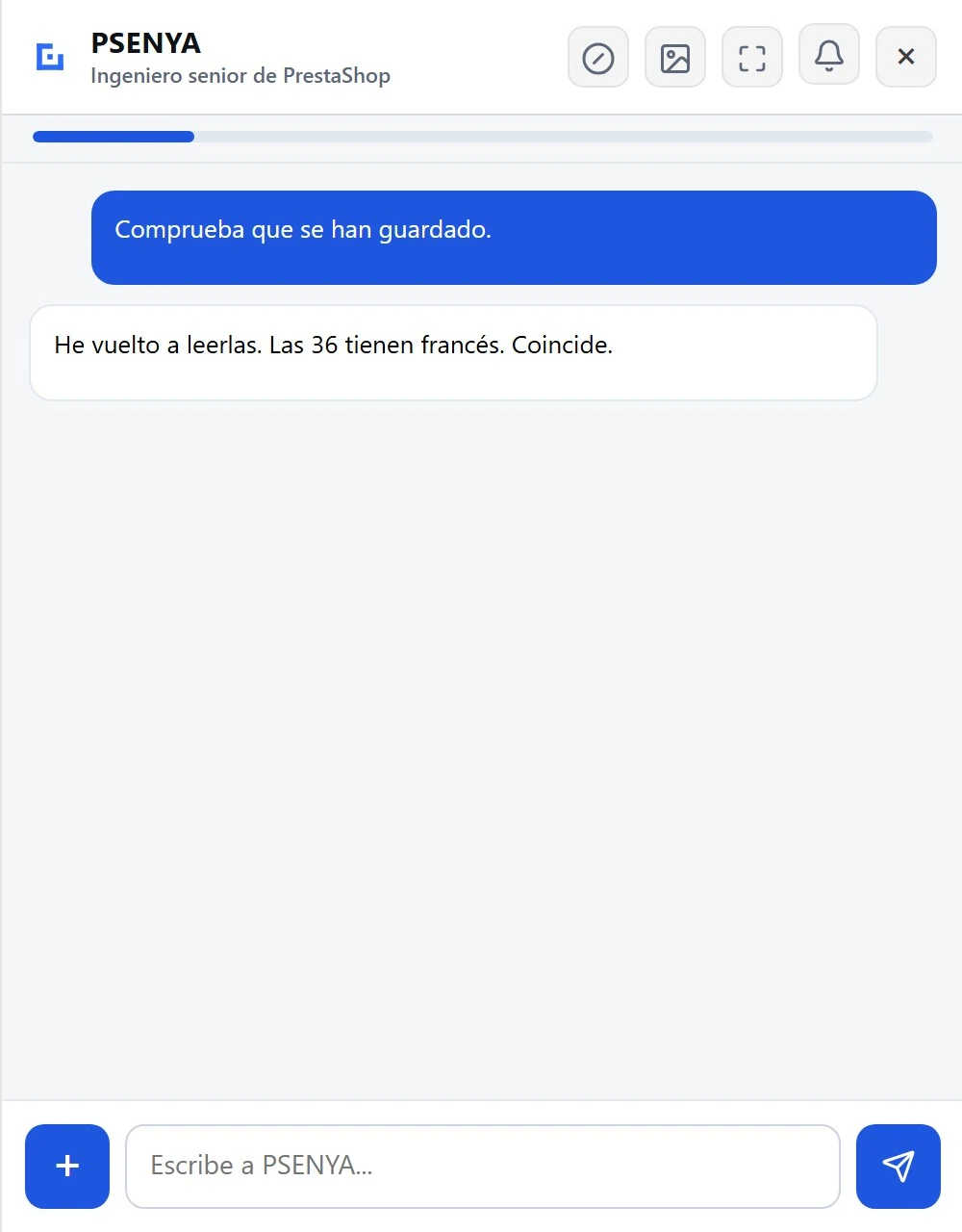
The difference between PSENYA and a tool that only answers is the last step. After a change, PSENYA reads the shop again and compares the result with what it told you. If the two do not match, it says so. It does not insist on a result the shop does not show.
It reads the shop.
You confirm the change.
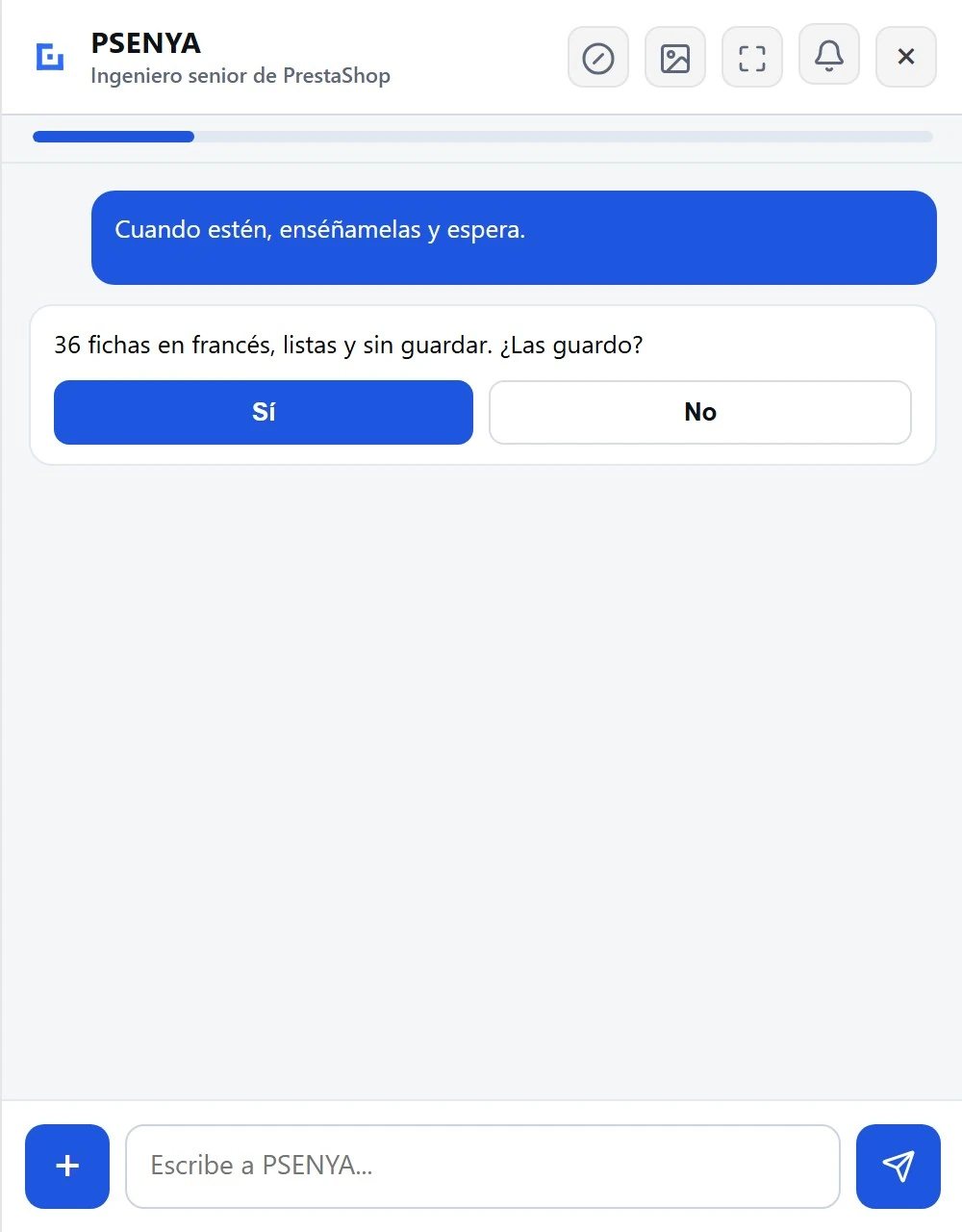
It checks the result.
What do I need to run PSENYA?
You need PrestaShop 8, a back office your employees already use, and one licence for that shop. PSENYA adds nothing to the storefront. PrestaShop 9 and PrestaShop 1.7 are not supported. The assistant speaks six languages, and monthly use stops at 20 million tokens, with no extra charge when they run out.
| PrestaShop | 8.x. Not 9. Not 1.7. |
|---|---|
| Where it runs | Back office only. Nothing on the storefront. |
| Shops | Unlimited, with the permissions they already have |
| Languages of the assistant | EN, ES, FR, DE, IT, PT |
| Shops per licence | One. Eight shops are eight licences. |
| Active licences | 250 at a time, worldwide. |
| Monthly use | 20 million tokens. A token is a small piece of the text PSENYA reads or writes. When they run out, PSENYA stops until the next month. No extra charge. |
How does 149 €/month compare with hiring help?
In Spain, public PrestaShop maintenance plans run from about 59 € to 490 € a month, and an agency hour costs between 45 € and 65 €. At 149 € a month, tax not included, PSENYA sits at the low end of those plans. It does not include a person who plans your upgrades. If it saves you agency hours, you do the sum yourself with those rates.
| Option | What it includes |
|---|---|
| PSENYA, 149 €/month | Available when something happens. Works inside the shop. Confirms and verifies. Does not build custom modules and does not plan upgrades. |
| Maintenance plan, 59–490 €/month | People who know your shop. They plan and test upgrades. Response is measured in hours or days. |
| Agency hour, 45–65 € | Best for custom development. You pay for each question. |
| Doing it yourself | No invoice. The cost is the evening, and a change nobody verified. |
Public figures from Web Consulting, Webartesanal, Softnet, BoostMyPresta and Moon, reviewed on 29 September 2026.
Why does PSENYA cost 149 € a month?
Because you are not paying for a chat window. You are paying for a senior engineer inside the shop: it reads the real value, inspects code and logs when needed, prepares the change, waits for your confirmation, and checks again. A basic maintenance plan at this price often includes one small intervention. An agency hour, at those rates, runs from 45 € to 65 €. A month of PSENYA is 149 €, tax not included. The licence covers one shop and every employee who works in it.
You are not paying for a chat window. You are paying for access to the real shop, a confirmation before anything is written, and a check afterwards.
If you need a custom module built from scratch, this is the wrong product.
Is this the same as hiring a PrestaShop expert?
No. A PrestaShop expert is a person you hire. PSENYA is software inside the back office. It covers the daily questions and the changes the shop already knows how to make, with you confirming each write. You still hire a person when the job is a custom module, a migration, or an upgrade plan.
For agencies: more shops, same team
PSENYA does not replace your maintenance. It removes the low-value work around it: first reads, repeated checks, obvious configuration questions, product batches, order context and evidence gathering. You still sell strategy, upgrades, custom development and responsibility. You stop burning margin on entering every shop blind.
Every change is shown before it is written, recorded, and can be put back exactly as it was. You always know what changed, when, and who confirmed it.
The four questions people ask before they pay
Why not just use ChatGPT?
ChatGPT can talk about PrestaShop. It does not sit in your back office, it does not see this shop unless you paste it in, and it does not check the result after a change. PSENYA does those three things.
Why not use Ask AI or the official MCP?
Ask AI is PrestaShop's own assistant, and next to PSENYA it is a chatbot. The official MCP Server lets a model reach the shop, and that is a real tool. PSENYA is the best and only AI assistant that truly does the work of a senior engineer: it lives in the back office, reads the shop, shows you the change and waits for your yes.
Why not keep a maintenance plan?
Keep it if someone has to plan upgrades and answer within an agreed time. PSENYA does not replace that. It covers the daily questions and the changes the shop already knows how to make.
Why not buy a cheap AI module?
Buy it if all you want is a text generator or a storefront chat. PSENYA can also write a product description or reply to a customer when you ask, but it does that by operating the shop and checking the result. They are not the same product.
How much does PSENYA cost?
PSENYA costs 149 € per month, tax not included, for one PrestaShop 8 shop with unlimited employees and 20 million tokens a month. The annual option is 1,490 € per year: one charge, twelve months of access. If you cancel, the next charge does not happen. What you already paid is not refunded, and PSENYA keeps working until that period ends.
- One shop
- Unlimited employees
- 20 million tokens a month
- Six languages of the assistant
- Updates
- One of 250 active licences
Tax not included. Card. Cancel any time: the next charge stops, and access lasts until the period you paid ends.
Questions before you subscribe
- How do you say PSENYA?
- It is pronounced Senya. It is always written PSENYA.
- Which PrestaShop versions does it support?
- PrestaShop 8 only. It runs in the back office and adds nothing to the storefront. PrestaShop 9 and 1.7 are not supported.
- Will it change my shop without asking?
- No. When an action writes data, PSENYA shows you the change and waits for your confirmation. Reading the shop does not need confirmation. Writing always does.
- What if I confirm something by mistake?
- It can undo the change: it keeps the previous state and restores it when you ask, again with your confirmation.
- What happens to my data?
- PSENYA works inside your back office, on your own installation. You do not upload a copy of the shop, and one shop stays separate from every other shop.
- Can I cancel?
- Yes. The next charge does not happen. The month or the year already paid is not refunded. PSENYA keeps working until that paid period ends, and then it stops.
- Do I need one licence per shop?
- Yes. One licence covers one PrestaShop shop and unlimited employees. Several shops mean several licences.
- Is this a chatbot?
- It is not a chat the customer opens on the storefront. It works in the back office, for your team. If you ask it to answer a customer, it does that from there, and it shows you the message before it goes out. If you ask for a product description, it writes it. How it differs from other AI products is on the AI for PrestaShop.
- Where do I buy it?
- Here, on psenya.com, from PrestaSolutions. PSENYA is not sold on PrestaShop Addons.
- How many licences are there?
- 250 active licences, worldwide. One licence is one shop, so eight shops are eight licences. When all 250 are in use, the product cannot be bought. You can leave your name and email. When a licence ends, everyone on that list is told how many places are free. The first to pay takes one. A place is not held for you.
149 € a month, tax not included.1,490 € a year, tax not included.
14-day trial on your shop
14 days or 2 million tokens, whichever comes first. No card. One trial per domain. You download the module and run it yourself.